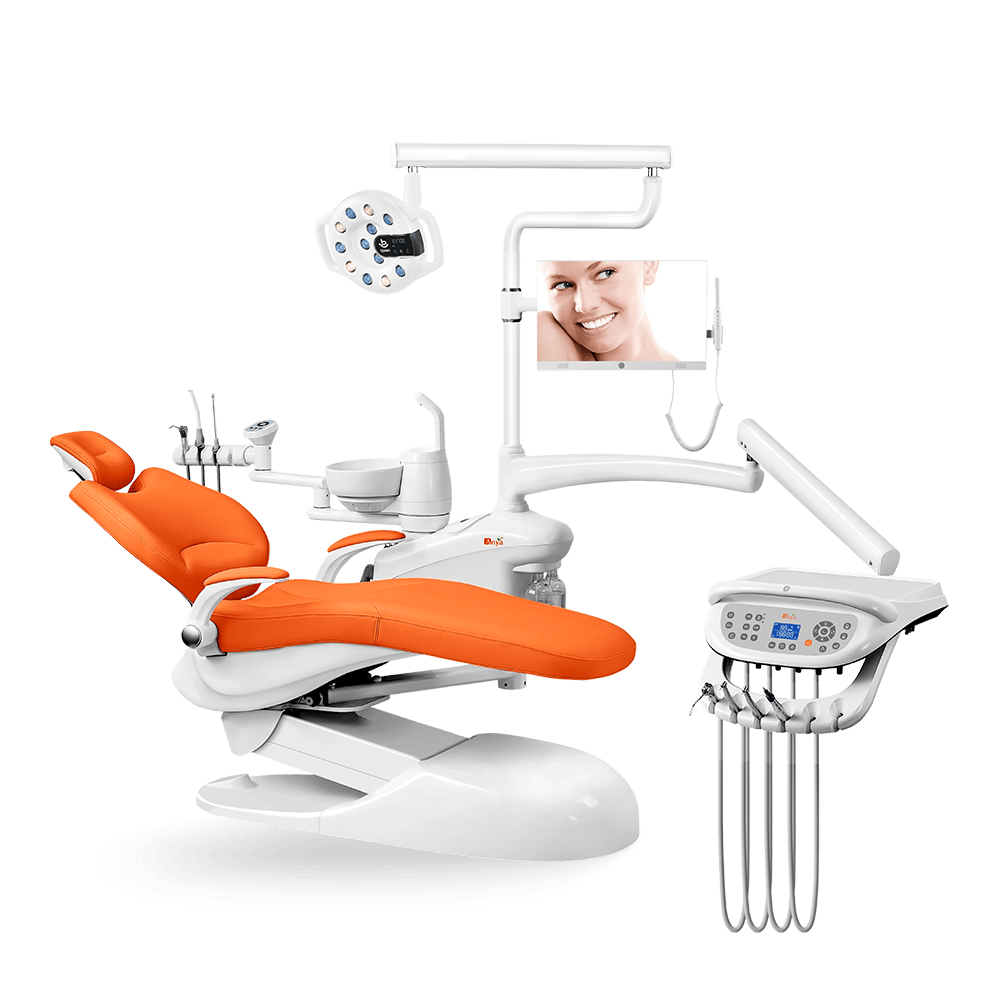
Custom dental chair configuration should begin with the chair model and clinical workflow, not with colors and logos. A distributor or clinic group may want a distinctive appearance, a branded catalog, or a consistent room package, but the final configuration must still be easy to quote, install, train, service, and reorder. The safest approach is to choose the base dental chair unit first, then document each color, logo, delivery, accessory, packaging, and spare-parts detail in writing.

This guide is for dealers, distributors, and clinic buyers choosing colors, logos, and configurations for OEM dental chairs. It builds on the broader OEM dental chairs article and the private label dental chairs guide. It does not assume every model supports every change. Confirm available options, artwork requirements, documents, and final configuration with the manufacturer in writing.
Start With the Base Dental Chair Model First
Many buyers start the discussion with a color preference or a logo file. That is understandable from a marketing perspective, but it is the wrong starting point for procurement. The base model decides delivery layout, assistant access, light position, chair movement, armrest behavior, upholstery shape, utility assumptions, packing, and spare-parts references.
Start by selecting the dental chair unit that matches the clinic segment or dealer product tier. Then ask what is standard, what may be optional, and what is not available for that model. A good configuration sheet should answer these questions before any artwork or visual approval is treated as final.
- Which chair model is the base platform?
- Which delivery system and assistant-side setup are being quoted?
- Which upholstery or color options can be confirmed for this model?
- Whether logo or brand marking can be discussed for the selected order?
- Which accessories are included, optional, or excluded?
- How will the final configuration be named for repeat orders and spare parts?
OEM Dental Chair Color, Logo, and Configuration Checklist
Chair model and layout
Confirm the product model, delivery position, assistant unit, spittoon or bowl area, control location, armrest behavior, and room-planning assumptions. If the chair is used for a dealer catalog, choose one repeatable configuration before adding project-specific options.
Upholstery and color direction
Color should support the clinic environment and the buyer’s market positioning, but availability must be confirmed for the exact model. Neutral colors can be easier for broad dealer stock, while stronger colors may support a specific clinic brand or showroom display. Ask for current available options, product photos, or material references where the manufacturer can provide them.
Logo and brand placement
Logo use should never be assumed. Ask whether brand marking is supported, where it can appear, what file format is needed, how size and color are approved, and whether a proof can be reviewed before production or shipment. Keep the approved artwork with the purchase file.
Delivery system and assistant-side preferences
Configuration is more important than cosmetic appearance for daily use. Compare cart delivery, chair-mounted delivery, top-mounted or hanging hose layouts, assistant controls, suction access, tray position, and foot control needs. For related decisions, review cart delivery vs chair-mounted delivery, top-mounted vs hanging hose deliveryy dental assistant unit configuration.
Accessory expectations
Clarify whether the order includes a dental light, stool, monitor support, handpiece tubing, suction-related items, or other accessories. Do not rely on a product image alone; photos often show a display setup, while the quoted package may be different. The quote, configuration sheet, packing list, and product page should describe the same order.
Documents, labels, and carton markings
Color and logo approval is incomplete if documents and packaging use different names. Confirm product labels, model references, manuals, packing marks, and carton identification. Dealers managing several models need clean carton marks so warehouse, installer, and service teams know what arrived.
Spare parts and repeat-order consistency
A custom configuration should still be easy to reorder and service. Ask how the chair will be recorded internally, how private names map to factory references, and whether common replacement parts can be identified consistently. For material and component questions, use the dental chair materials guide and the spare parts availability article.
Customize vs Standardize: What Should Dealers Decide?
| Decision area | Customize when… | Standardize when… | Risk to manage |
|---|---|---|---|
| Color | A dealer needs market differentiation or a clinic group wants visual alignment. | The chair will be stocked for many clinics with uncertain preferences. | Unconfirmed color availability, inconsistent repeat orders, and harder resale. |
| Logo | Brand presentation is important and approval steps are clear. | The chair will be sold through several channels or brand use is undecided. | Logo placement, artwork, and document consistency must be confirmed. |
| Delivery system | Clinics have defined workflow needs and room layouts. | Dealers want simple training, installation, and service support. | Over-specific layouts can make stocking and technician support harder. |
| Accessories | A project requires a defined light, stool, monitor support, or other package. | The dealer needs a predictable standard showroom or stock package. | Included items must match the quote, packing list, and product photos. |
| Documents | Importer, distributor, or clinic group requires specific labeling or file organization. | The manufacturer’s standard document process is sufficient for the sale. | Do not assume languages, labels, or document changes are included. |
| Spare parts | The dealer has a service team and wants a defined local support route. | The buyer is still testing demand and wants a simple first configuration. | Unusual combinations can complicate parts identification later. |
Common Mistakes When Choosing OEM Details
- Choosing colors and logos before confirming the base dental chair model.
- Assuming every color, logo placement, accessory, or document change is available.
- Requesting too many cosmetic variations across one dealer product line.
- Creating configurations that look good in a catalog but are harder to install or service.
- Approving a product photo without checking the included accessories.
- Not confirming final specifications in writing before order processing.
- Treating a one-time project setup as a repeatable dealer stock model.
- Forgetting spare parts, technician training, packaging, and documentation needs.
Manufacturer and Dealer Perspectives
Manufacturers need clean, controlled information. A useful custom dental chair configuration request includes the base model, target buyer, delivery layout, assistant-side needs, color direction, logo files if relevant, accessory expectations, document requests, packaging notes, and approval contact. The clearer the request, the easier it is to confirm what can be supplied.
Dealers need repeatability. Sales teams need a simple model story. Installers need to know what configuration will arrive. Service teams need parts references. Managers need to know whether the same configuration can be ordered again. A custom option that cannot be documented may create more trouble than value.

How to Confirm OEM Details Before Order Approval
A strong approval process is practical and boring in the best way. It turns a visual preference into an order file that sales, production, packing, shipping, and service teams can all understand.
- Select the base model. Browse the dental chair unit category and choose the model family that fits the clinic segment.
- List the required configuration. Include delivery system, assistant unit, dental light, controls, stool, suction-related expectations, utilities, and accessories.
- Add appearance requests separately. Keep color, logo, and visual references in their own section so they do not hide functional requirements.
- Request written confirmation. Ask the manufacturer to mark each item as standard, optional, unavailable, or needing further review.
- Review proof or photos where agreed. Check that product appearance, label, carton mark, and accessories match the order file.
- Save the final configuration name. Use the same name in the quote, invoice, packing list, internal catalog, and service notes.
If the configuration is part of a dealer product line, connect this approval file with dealer product-line planning y quality-control checks. If it is part of a private label program, keep the same file with the brand and packaging approvals described in the private label dental chairs guide.
The approval file should be understandable without the original sales chat. A future warehouse manager, installer, or service technician should be able to open the file and see the chair model, configuration, color reference, accessory list, document notes, packing expectations, and internal naming record. This matters because the first order is rarely the last conversation. If a dealer repeats the configuration later, the team should not have to reconstruct the decision from memory or from mixed product images.
PREGUNTAS FRECUENTES
Can OEM dental chairs be customized by color?
Color options depend on the selected chair model and the manufacturer’s current option list. Ask for available color choices, product photos, or material references in writing before approving the order.
Can a dealer add its logo to a dental chair?
Possibly, but only if the manufacturer confirms logo use for the selected order. Confirm placement, file requirements, size, color, approval proof, document impact, and packaging consistency.
Should dealers choose custom or standard configurations?
Standardized configurations are usually easier for stock, service, training, and repeat orders. Customization can help with brand positioning or clinic-group projects when the scope is carefully documented.
What should be confirmed before approving a custom configuration?
Confirm base model, upholstery or color, delivery system, assistant unit, controls, accessories, logo details, documents, labels, packing marks, spare parts references, and repeat-order naming.
How can dealers avoid repeat-order problems?
Use a written configuration sheet, consistent model naming, clear product photos, controlled options, and a parts reference that maps dealer names to manufacturer references.
Where should buyers start?
Start with the chair platform and clinical workflow. Then confirm color, logo, accessories, documents, and packaging details after the model and configuration are clear.
Need help confirming a custom dental chair configuration? Browse Anya’s dental chair units, then contact Anya Medical with the model, target market, color direction, logo questions, and required configuration details.