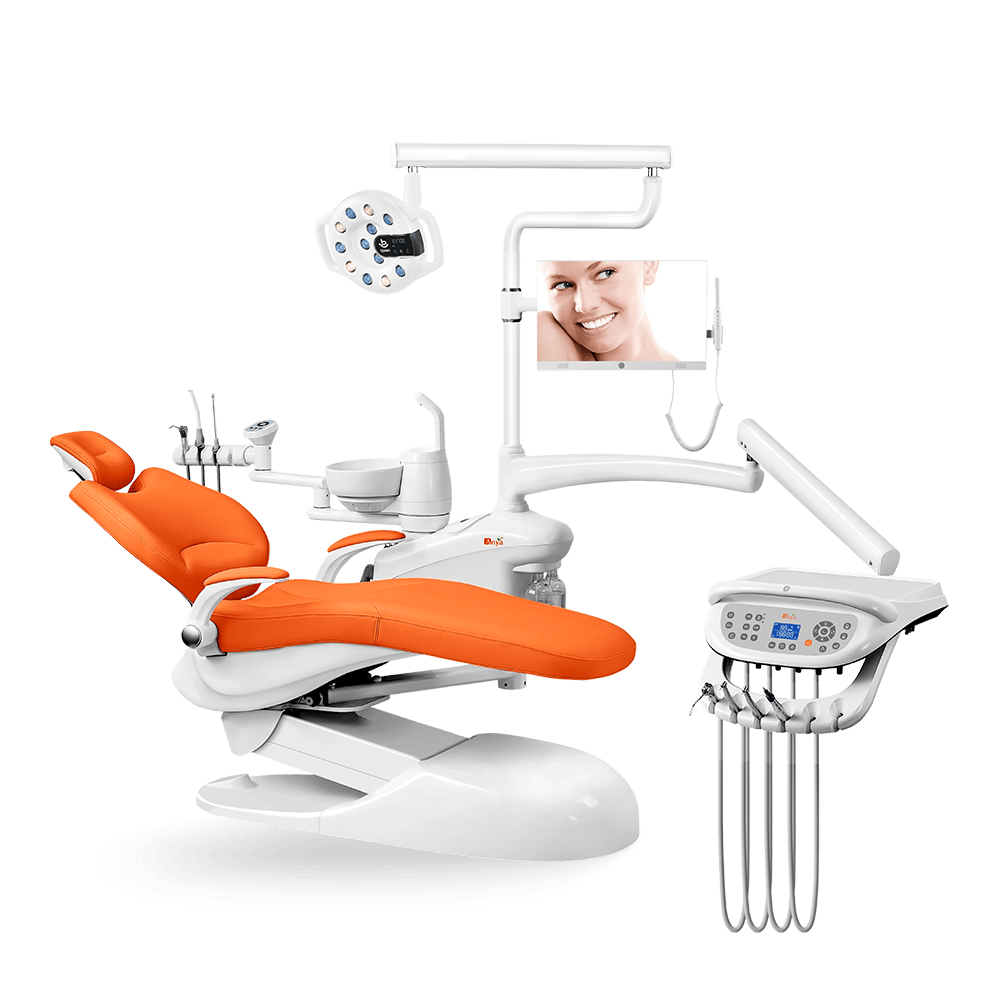
Advanced imaging, patient positioning, and operatory layout all influence implantology workflow. The dental chair is not merely a patient support; it also affects visibility, assistant access, suction placement, and patient comfort during longer procedures. Models like the A4800 Implant Series should be reviewed by configuration, compatibility, and service documentation.
implant operatory equipment checklist, dental chair positioning guide, suction integration guide, installation cost guide, and RFQ guide.
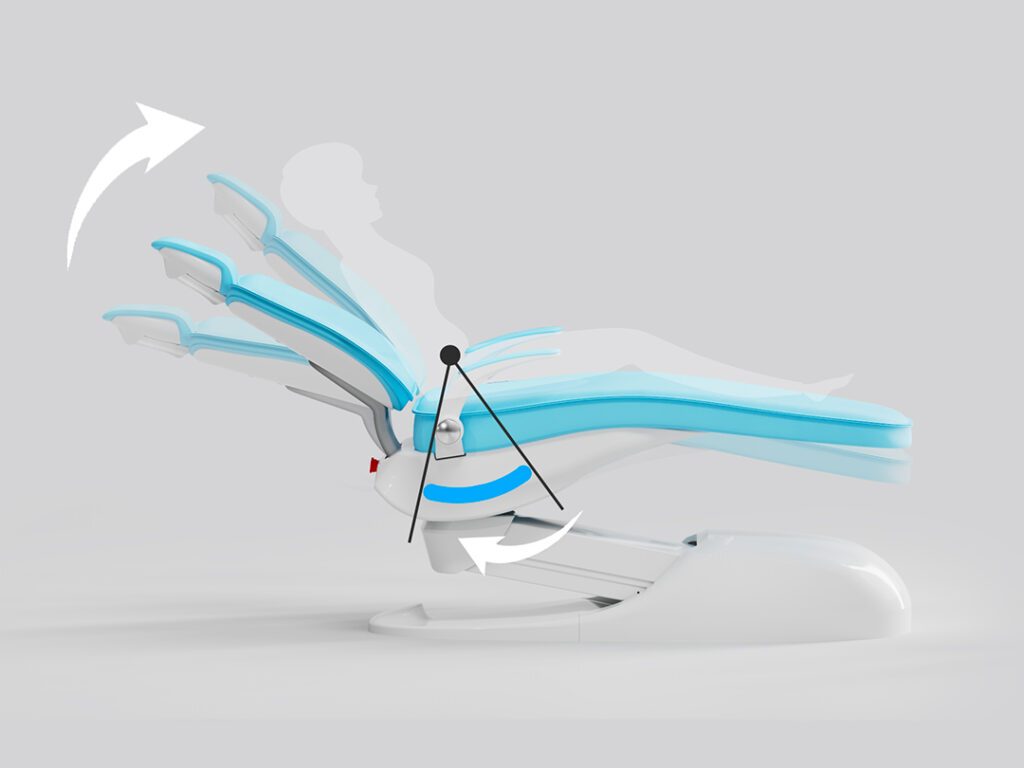
Unlike basic units, specialized implant chairs may offer more flexible positioning, headrest movement, assistant-side access, and accessory placement. For the A8000 Advanced model, confirm which positioning and control features are available and how they support visibility during implant procedures.
What distinguishes a practical implant chair setup is the integration of ergonomic design with clinical functionality. The butterfly-shaped backrest and lumbar support systems found across models from the A3600 to the A8000 should be assessed for patient support, clinician posture, stable access, and ease of adjustment during treatment.
This article explores how implant-focused dental chair features can support surgical field stability, anatomical accessibility, and procedural workflow planning. It focuses on practical evaluation points rather than fixed clinical or financial outcome promises.
Implant Chair Positioning and Operatory Workflow
Modern implant workflow depends on translating digital planning into a practical chairside setup. Anya Medical’s A4800 Implant Series should be evaluated by how well it supports CBCT review, patient positioning, surgical access, lighting, suction, and assistant workflow for the intended procedure mix.

The A6000 Flexible model can be reviewed for positioning range, control layout, patient support, and compatibility with guided-surgery workflow. For full-arch rehabilitation or longer procedures, clinics should confirm how the chair helps maintain access, visibility, and team ergonomics over time.
Patient Stability and Imaging Workflow
Patient movement is a practical challenge during implant procedures. The A8000 Advanced model should be assessed by headrest stability, backrest support, chair movement smoothness, and whether its controls help the team adjust positioning without interrupting the procedure.

For imaging-related workflow, review headrest positioning, patient stability, device placement, and whether memory positions make repeated setup more consistent. Radiation exposure and imaging quality should be managed through the imaging device protocol and local safety requirements.
Repeatable Chair Positions for Implant Planning
Today’s implant dentistry benefits from a well-planned surgical environment for each patient. The A3600 chair should be reviewed by its memory positions, headrest range, visibility, and how the clinical team uses preoperative imaging to choose a practical chair position.

The A8000 model should be reviewed for prosthetic try-ins, full-arch workflow, assistant access, lighting, and patient comfort during longer appointments. The chair should support clinical expertise without adding unnecessary complexity to the procedure.
Evaluation Points for CT-Integrated Chair Workflows
Implant workflows should be evaluated across several practical dimensions before a clinic relies on them for daily procedures:
Imaging and chairside workflow review points include device compatibility, screen placement, patient head support, repeatable memory positions, assistant access, and documentation workflow. Clinics should confirm these points with supplier documentation and their own procedure protocols.
Systems like the A3600 model should be assessed by how they help the clinical team maintain visibility, comfortable posture, stable patient support, and repeatable setup during implant procedures. Implant survival, osseointegration, and surgical accuracy depend on many clinical factors beyond the chair alone.
Implementation Roadmap for Implant Chair Workflows
Coordinating imaging, chair positioning, lighting, suction, and assistant access takes planning. Use a phased review so the setup supports the clinic’s implant workflow before daily use.
Pre-Surgical Planning Made Simple
Pre-surgical planning should bridge digital planning and chairside setup. The A3600 model’s integrated X-ray viewer and memory position features can help teams keep preferred settings accessible, but clinicians should verify positioning against the treatment plan and patient anatomy.
Chairside Adjustment During Surgery
The A4800 Floorstand model should be reviewed by sightline, instrument reach, monitor placement, suction access, and whether its chair movement remains smooth during longer procedures. Teams should test the setup using their own surgical workflow before adopting it broadly.
Confidence Through Verification
The value of technology should be reviewed after treatment through documentation quality, image records, chair setup notes, and team feedback. The A8000 model’s control system can support organization when it fits the clinic’s documentation and imaging workflow.
Conclusion
Modern implantology depends on skilled clinicians, imaging, treatment planning, and a stable chairside setup. The dental chair can support surgical workflow through patient positioning, visibility, assistant access, and smooth adjustment during treatment.
What matters for buyers is whether the chair configuration solves real workflow problems without adding unnecessary complexity. Implantology teams should compare documentation, compatibility, service support, and hands-on usability before selecting a model.
As dental teams continue to adopt digital workflows, chair selection should remain grounded in clinical requirements, staff ergonomics, patient comfort, and supportable technology choices.